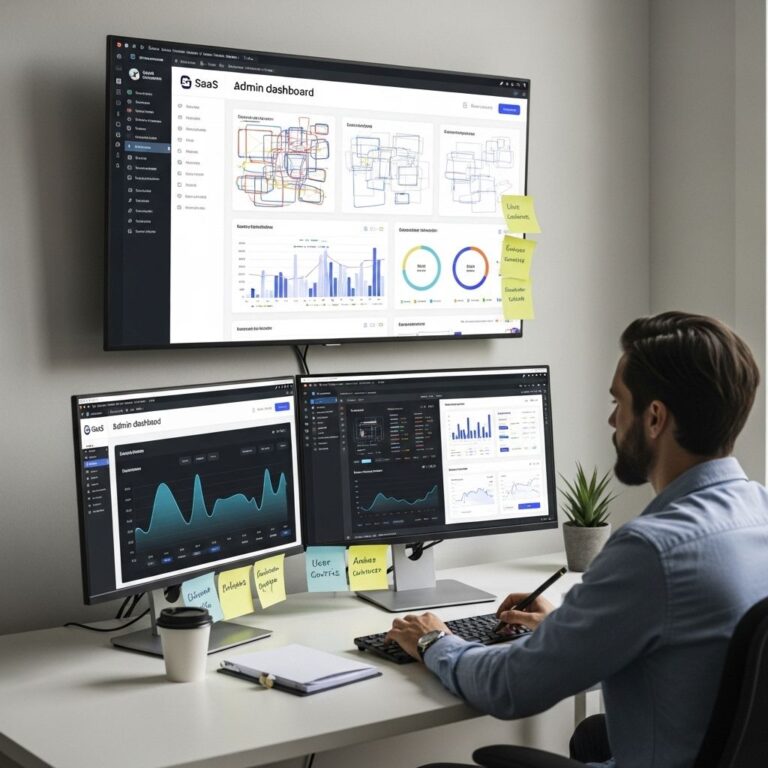
In the rapidly evolving landscape of technology, user experience (UX) design has become a focal point for businesses looking to gain a competitive edge. As digital products become increasingly complex, the need for effective and innovative design tools is paramount. This article delves into five exceptional UX design tools that not only enhance creativity but also streamline the workflow for designers. Whether you are a seasoned professional or a budding designer, these tools can elevate your UX design projects to new heights.
1. Figma: The Collaborative Design Powerhouse
Figma is a browser-based interface design tool that has revolutionized the way teams collaborate on design projects. Its real-time collaborative features allow multiple users to work on the same design simultaneously, making it ideal for remote teams.
Key Features:
- Real-Time Collaboration: Work with teammates in real time, providing instant feedback and making edits together.
- Design Systems: Create and manage design systems that ensure consistency across projects.
- Prototyping: Build interactive prototypes that simulate the final product experience.
Getting Started with Figma:
- Sign up for a free account on the Figma website.
- Create a new design file or import existing assets.
- Invite team members to collaborate by sharing the project link.
2. Adobe XD: The All-in-One Solution
Adobe XD is another prominent tool in the UX design space, offering a comprehensive solution for design, prototyping, and sharing. With its intuitive interface and robust features, Adobe XD is perfect for designers looking to create high-fidelity prototypes quickly.
Key Features:
- Design and Prototyping: Switch seamlessly between design and prototyping modes.
- Responsive Resize: Automatically adjust layouts for various screen sizes.
- Integration with Adobe Creative Cloud: Easily import assets from Photoshop and Illustrator.
Tips for Using Adobe XD:
- Utilize repeat grid functionality to streamline the design of lists and galleries.
- Take advantage of plugins to enhance functionality and access external resources.
- Regularly share prototypes with stakeholders for feedback.
3. Sketch: The Industry Standard
Sketch has been a staple in the UX design community since its launch in 2010. Known for its simplicity and powerful features, it is especially favored by macOS users. Sketch’s vector-based editing allows designers to create scalable and high-quality graphics.
Key Features:
- Symbol and Style Management: Create reusable components and maintain a consistent visual language.
- Cloud Sharing: Share designs with stakeholders and receive feedback directly on the platform.
- Extensive Plugin Ecosystem: Enhance the tool’s capabilities with numerous third-party plugins.
Best Practices for Sketch:
- Organize layers effectively to improve workflow.
- Use symbols for commonly used elements to save time.
- Regularly update your Sketch version to access new features and improvements.
4. InVision: The Prototyping and Collaboration Tool
InVision is primarily known for its prototyping capabilities, allowing designers to create interactive mockups that closely resemble the final product. It also offers collaboration features that enable teams to gather feedback efficiently.
Key Features:
- Interactive Prototypes: Build click-through prototypes that mimic user interactions.
- Feedback and Comments: Facilitate discussions within the design files.
- Integrations: Connect with tools like Slack, JIRA, and Trello for a streamlined workflow.
Steps to Maximize InVision:
- Use the Craft plugin to sync your designs from Sketch or Photoshop.
- Create user flows to illustrate the journey through your prototype.
- Encourage team members to leave comments directly on the prototype for efficient feedback.
5. Axure RP: The Advanced Prototyping Tool
For those looking for advanced prototyping capabilities, Axure RP offers a comprehensive suite of tools that allow designers to create high-fidelity wireframes and prototypes. It’s particularly useful for complex applications where detailed interactivity is required.
Key Features:
- Dynamic Content: Create prototypes with conditional logic and adaptive views.
- Design Specification: Generate specifications that developers can use to build the final product.
- Team Collaboration: Work with team members and stakeholders throughout the design process.
How to Get Started with Axure RP:
- Download Axure RP from the official website and install it on your machine.
- Create a new project and start designing your wireframes.
- Utilize the documentation feature to create specifications for your development team.
Conclusion
Choosing the right UX design tools can significantly influence the creative process and the quality of the final product. Each of these five tools — Figma, Adobe XD, Sketch, InVision, and Axure RP — offers unique features tailored to different aspects of design. By leveraging these tools, designers can enhance their productivity, foster collaboration, and ultimately create better user experiences. As the design landscape continues to evolve, staying updated with the latest tools and technologies will be essential for any UX designer aiming to unlock their full creative potential.
FAQ
What are the best UX design tools for beginners?
Some of the best UX design tools for beginners include Figma, Adobe XD, Sketch, InVision, and Axure RP. These tools offer user-friendly interfaces and resources to help you get started.
How can UX design tools enhance collaboration among teams?
UX design tools often feature real-time collaboration, allowing team members to work together seamlessly, share feedback, and make changes instantly, which enhances the overall design process.
Are there any free UX design tools available?
Yes, there are several free UX design tools available, such as Figma’s free plan, Adobe XD Starter plan, and Sketch’s free trial, which can help you get started without any initial investment.
What features should I look for in a UX design tool?
When choosing a UX design tool, look for features like prototyping capabilities, user testing options, collaboration tools, design libraries, and integrations with other software.
Can UX design tools improve user research processes?
Absolutely! Many UX design tools come with user testing functionalities and analytics features that help streamline the user research process, making it easier to gather insights and make data-driven design decisions.
How do I choose the right UX design tool for my project?
To choose the right UX design tool for your project, consider your specific needs, the size of your team, your budget, and whether you require features like prototyping, collaboration, or user testing.