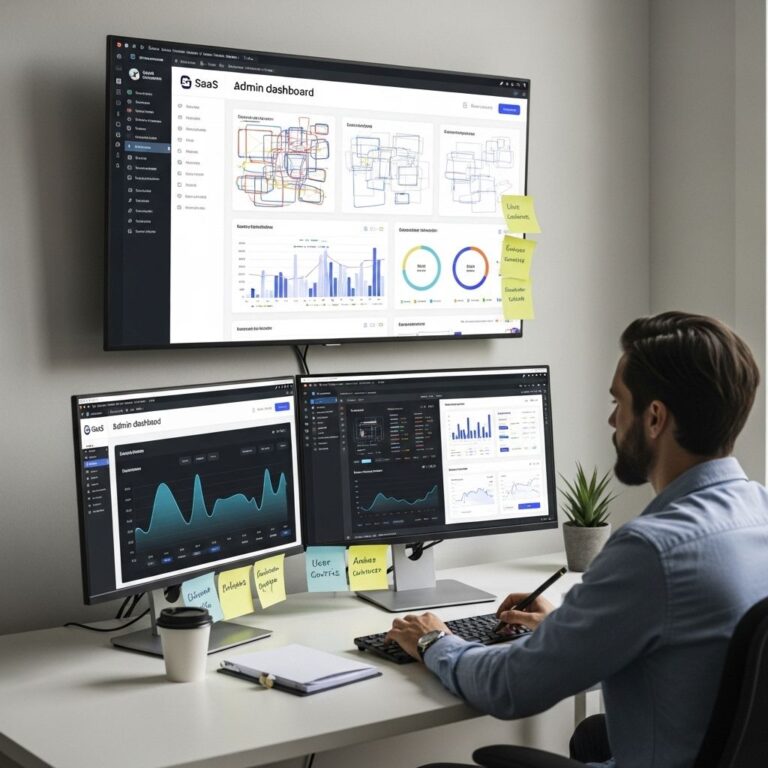

User Interface (UI) and User Experience (UX) design are critical components of creating engaging digital products. As the tech landscape continues to evolve, so does the need for tools that streamline the design process and enhance collaboration among teams. Below, we explore five essential tools that have garnered attention for their capabilities in boosting UI/UX success.
1. Figma
Figma has emerged as one of the most popular design tools among UI/UX designers. Its web-based platform allows for real-time collaboration, making it ideal for teams working on design projects. Here are some features that contribute to Figma’s success:
- Cloud-Based Collaboration: Multiple users can work on a project simultaneously.
- Components and Assets: Create reusable components to maintain consistency across designs.
- Design Systems: Easily manage design tokens and styles with shared libraries.
- User Testing: Share prototypes with stakeholders for feedback and iteration.
Getting Started with Figma
To start using Figma, follow these simple steps:
- Sign up for a free account on the Figma website.
- Create a new project and invite team members to collaborate.
- Utilize the drag-and-drop interface to start designing.
2. Sketch
Sketch has been a staple in the UI design community since its inception. While it is Mac-only, its robust features and extensive plugins make it a go-to for many designers. Notable features include:
- Vector Editing Tools: Create scalable designs without losing quality.
- Symbols: Use symbols to create reusable elements, saving time and ensuring consistency.
- Plugins and Integrations: Enhance functionality with thousands of third-party plugins.
- Exporting Options: Easily export assets in various formats for developers.
Benefits of Using Sketch
The advantages of Sketch extend beyond its features:
- Active community support with numerous resources.
- Regular updates that introduce new functionalities.
- Focus on UI design allows for specialized tools tailored to the designer’s needs.
3. Adobe XD
Adobe XD is part of the Adobe Creative Cloud suite and offers a robust platform for designing and prototyping. Its integration with other Adobe products makes it a favorite among those already using Adobe software. Key features include:
- Design and Prototyping: Seamlessly transition from design to prototype with interactive elements.
- Voice Prototyping: Create voice experiences for applications.
- Integration with Adobe Suite: Easy access to Photoshop and Illustrator assets.
Prototyping with Adobe XD
Creating a prototype is straightforward:
- Design your screens in the design view.
- Switch to prototype mode and link screens with transitions.
- Preview and share the prototype for user testing.
4. InVision
InVision is primarily known for prototyping and collaboration. It streamlines the feedback process and allows designers to create interactive mockups. Some highlights of InVision are:
- Real-Time Collaboration: Stakeholders can leave comments directly on designs.
- Prototyping: Build high-fidelity clickable prototypes without writing code.
- Design Handoff: Provides developers with all the necessary assets and specifications.
Using InVision for Team Collaboration
To maximize team collaboration, consider these tips:
- Schedule regular feedback sessions with stakeholders.
- Utilize the commenting feature to keep track of suggestions and changes.
- Ensure all team members are familiar with the platform for smooth workflows.
5. Marvel
Marvel is an intuitive design tool that simplifies the prototyping process. It is especially suited for beginners or those who need quick mockups. Key features include:
- Design and Prototype: Quickly create designs and link them to create prototypes.
- User Testing: Conduct user testing sessions directly within the platform.
- Hand-off to Developers: Generate code snippets for developers based on designs.
Marvel for Rapid Prototyping
For those needing to move quickly, Marvel offers:
- A user-friendly interface that requires minimal training.
- The ability to create prototypes in a matter of minutes.
- Integrated user testing tools to gather feedback early in the design process.
Conclusion
In the fast-paced world of UI/UX design, having the right tools at your disposal can significantly impact the success of your projects. Each of the tools discussed—Figma, Sketch, Adobe XD, InVision, and Marvel—brings unique strengths to the table. Depending on your team size, project scope, and specific needs, you may find one tool more suited to your workflow than others. Embracing these tools can lead to more efficient processes, improved collaboration, and ultimately, a better product for your users.
FAQ
What are the best tools for UI UX design?
Some of the best tools for UI UX design include Sketch, Adobe XD, Figma, InVision, and Axure RP.
How does Figma enhance collaboration in UI UX projects?
Figma allows real-time collaboration, enabling multiple team members to work on designs simultaneously, which improves feedback and efficiency.
What features make Adobe XD a popular choice for designers?
Adobe XD offers features like vector design tools, easy prototyping, and integration with other Adobe products, making it a versatile choice for UI UX design.
Why is usability testing important in the UI UX design process?
Usability testing helps identify user pain points and ensures that the design meets user needs, ultimately leading to a more effective and user-friendly product.
Which tool is best for creating interactive prototypes?
InVision is widely regarded as one of the best tools for creating interactive prototypes, allowing designers to simulate user interactions and gather feedback.
Can Axure RP be used for both wireframing and prototyping?
Yes, Axure RP is capable of both wireframing and prototyping, making it a comprehensive tool for visualizing and testing design concepts.