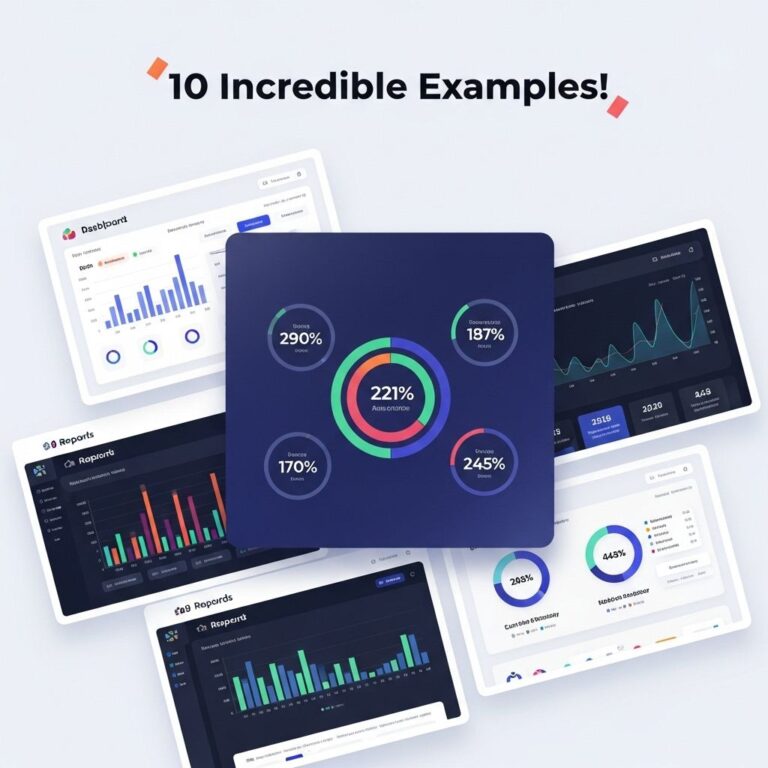
In today’s data-driven world, the ability to visualize complex data sets is crucial for making informed decisions. Reporting dashboards serve as an indispensable tool for business intelligence professionals, providing at-a-glance insights that help steer strategies and drive operational efficiency. Whether you are managing a small team or leading a large organization, having the right dashboard can transform your data into actionable insights. In this article, we will explore ten powerful reporting dashboard examples that every tech-savvy professional should consider integrating into their workflow.
Understanding Reporting Dashboards
A reporting dashboard is a data visualization tool that consolidates and displays key performance indicators (KPIs) and other relevant metrics in a single interface. It enables users to monitor performance in real time, identify trends, and make data-driven decisions. The effectiveness of a dashboard lies not only in its design but also in its ability to deliver relevant data visually appealingly.
Key Elements of an Effective Dashboard
- Clarity: The information should be presented clearly, avoiding cluttered layouts.
- Relevance: Only display data that is pertinent to the user’s goals.
- Interactivity: Enable users to explore data through filters or clickable elements.
- Real-time updates: Ensure that data is updated at regular intervals for accuracy.
1. Sales Performance Dashboard
This type of dashboard provides insights into sales metrics such as revenue, sales targets, and conversion rates. By monitoring these key indicators, sales teams can identify high-performing products and areas for improvement.
Features:
- Sales trends over time
- Top-performing sales reps
- Lead conversion rates
2. Marketing Campaign Dashboard
Designed for marketers, this dashboard tracks the effectiveness of various campaigns in real time. It can highlight metrics such as click-through rates, engagement levels, and ROI from marketing efforts.
Key Metrics:
- Cost per acquisition (CPA)
- Return on investment (ROI)
- Social media engagement
3. Financial Performance Dashboard
This dashboard aggregates financial data to help businesses understand their current financial status. It typically includes metrics such as profit margins, expenses, and revenue trends.
Common Components:
| Component | Description |
|---|---|
| Revenue Summary | Overall revenue performance over specified periods. |
| Expense Tracker | Breakdown of expenses by category. |
4. Customer Support Dashboard
For organizations focused on customer service, this dashboard tracks support ticket volumes, response times, and customer satisfaction scores to enhance service quality.
Metrics to Track:
- Average response time
- Resolution rate
- Customer feedback ratings
5. Project Management Dashboard
Effective project management is key to achieving team objectives. This dashboard provides insights into project timelines, resource allocation, and task completion rates.
Essential Features:
- Gantt chart for project timelines
- Task status indicators
- Resource usage statistics
6. E-commerce Performance Dashboard
This type of dashboard is essential for online retailers, providing insights into sales volume, cart abandonment rates, and customer demographics.
Critical Metrics:
- Sales by product category
- Average order value (AOV)
- Traffic sources
7. Human Resources Dashboard
HR dashboards are designed to provide insights into workforce metrics. They can help HR professionals track employee engagement, turnover rates, and recruitment metrics.
Key Data Points:
| Data Point | Importance |
|---|---|
| Employee Turnover Rate | Helps gauge employee satisfaction and organizational health. |
| Training Completion Rates | Indicates investment in employee development. |
8. IT Operations Dashboard
This dashboard is vital for IT teams, providing insights into system performance, incidents, and network health. It can help preemptively address issues before they escalate.
Focus Areas:
- Server uptime
- Incident resolution times
- Network traffic patterns
9. Inventory Management Dashboard
For businesses managing physical products, inventory dashboards are crucial. They help track stock levels, manage reordering, and analyze sales trends.
Important Metrics:
- Current stock levels
- Inventory turnover rate
- Supplier performance metrics
10. Executive Summary Dashboard
This high-level dashboard is designed for executives to get a quick overview of the organization’s performance across various departments. It combines key insights from all areas of the business.
Summary of Components:
| Component | Description |
|---|---|
| Overall Revenue | Key financial performance indicator. |
| Customer Satisfaction Score | Aggregated feedback from customers across service lines. |
Conclusion
Reporting dashboards are not just tools for displaying data; they are crucial assets that empower businesses to make informed decisions. By leveraging these ten powerful examples, organizations can enhance their operational efficiency, improve customer satisfaction, and drive overall growth. The right dashboard can serve as a compass in a complex business landscape, guiding teams towards success.
FAQ
What is a reporting dashboard?
A reporting dashboard is a visual representation of key performance indicators (KPIs) and metrics that helps businesses monitor and analyze data in real-time.
Why are reporting dashboards important?
Reporting dashboards are important because they provide a quick overview of performance metrics, enabling decision-makers to identify trends, make data-driven decisions, and improve overall business efficiency.
What are some key features of effective reporting dashboards?
Effective reporting dashboards typically include data visualization tools, customizable layouts, real-time data updates, and user-friendly interfaces that allow for easy navigation and interpretation.
Can I create a reporting dashboard without technical skills?
Yes, many modern dashboard tools offer user-friendly interfaces that allow individuals without technical skills to build and customize reporting dashboards using drag-and-drop functionalities.
What types of data can be visualized in a reporting dashboard?
A reporting dashboard can visualize various types of data, including sales figures, website traffic, customer satisfaction metrics, operational efficiency, and financial performance.
How can I choose the right metrics for my reporting dashboard?
Choosing the right metrics involves understanding your business goals, identifying the KPIs that align with those goals, and selecting data that provides actionable insights for decision-making.