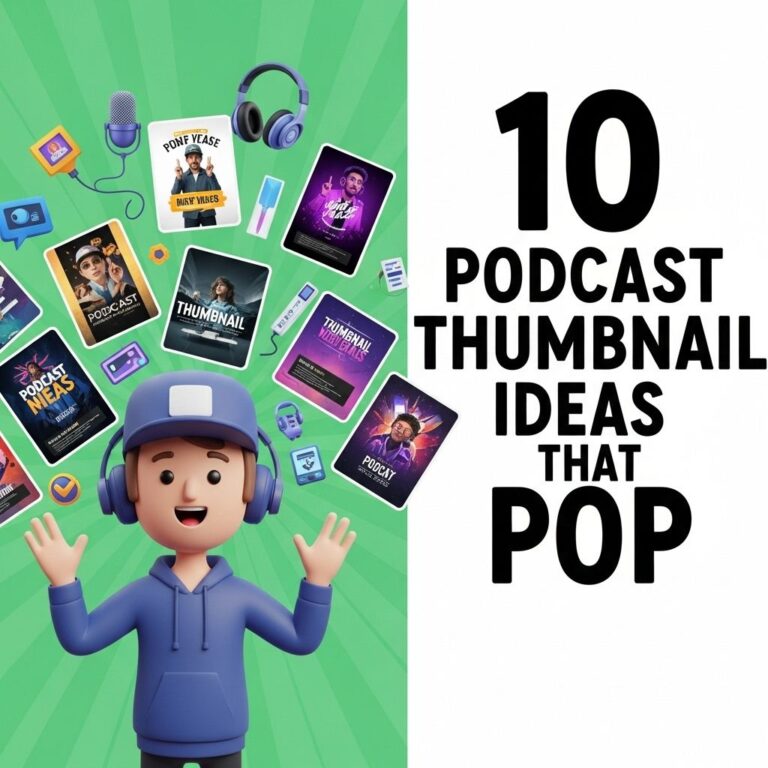
In the digital age, where attention spans are shorter than ever, the importance of an eye-catching podcast thumbnail cannot be overstated. A podcast thumbnail serves as the first impression potential listeners will have of your show, and it can greatly influence whether they choose to click and listen. With millions of podcasts available, standing out in a crowded market is crucial. Here are some effective strategies to create compelling podcast thumbnails that attract and retain listeners.
Understanding the Basics of Podcast Thumbnails
Before diving into specific tips, it’s essential to understand what a podcast thumbnail is. A thumbnail is a small image that represents your podcast on various platforms like Apple Podcasts, Spotify, and Google Podcasts. Typically, thumbnails are displayed at a size of 1400 x 1400 pixels, but they need to be easily recognizable at smaller sizes as well.
Key Elements of a Successful Thumbnail
- Clarity: Ensure the design isn’t cluttered and conveys the essence of your podcast.
- Color Scheme: Use vibrant colors that draw attention but maintain brand consistency.
- Typography: Opt for readable fonts; avoid overly stylized text that can confuse the viewer.
- Imagery: Incorporate relevant images or graphics that symbolize your podcast’s theme or subject matter.
1. Keep It Simple
One of the golden rules of design is to keep it simple. A busy thumbnail can confuse prospective listeners and may lead them to dismiss your podcast altogether. Here’s how to achieve simplicity:
- Limit Text: Aim for no more than a few words. Your podcast title should be the focal point.
- Choose a Single Image: Utilize one strong image that encapsulates your podcast’s theme.
- Minimal Color Palette: Stick to a few colors that work well together to avoid visual noise.
2. Use High-Quality Images
The quality of the images you use in your thumbnail can make a significant difference. Low-resolution images may appear blurry and unprofessional. Here are some tips for selecting the right images:
Finding High-Quality Images
| Source | Type | Cost |
|---|---|---|
| Unsplash | Free Stock Photos | Free |
| Pexels | Free Stock Photos | Free |
| Shutterstock | Premium Stock Photos | Paid |
| iStock | Premium Stock Photos | Paid |
3. Emphasize Your Branding
Your podcast thumbnail should reflect your brand’s identity. Consistent branding helps listeners recognize your podcast among various platforms. Here are some ways to incorporate branding:
Branding Elements
- Logo: Include your podcast’s logo in the thumbnail for brand recognition.
- Colors: Use colors that align with your brand identity across your marketing materials.
- Tagline: If applicable, include a short tagline that summarizes your podcast’s mission or theme.
4. Optimize for Different Platforms
Different podcast platforms may display thumbnails in various sizes and formats. Ensure that your thumbnail looks great across multiple devices:
Responsive Design Tips
- Test for Visibility: Check how your thumbnail appears on both mobile and desktop interfaces.
- Focus on Centering: Important elements should be centered to avoid being cut off on smaller screens.
- Adjust Aspect Ratios: Keep in mind that some platforms compress images differently, so test your thumbnail on each one.
5. Get Feedback and Iterate
Finally, don’t hesitate to get feedback on your thumbnail design before launching your podcast. You can gather insights from potential listeners, fellow podcasters, or design-savvy friends. Here’s how to collect constructive feedback:
Methods for Gathering Feedback
- Surveys: Create a simple survey asking for opinions on your thumbnail options.
- Focus Groups: Organize a small group discussion to critique your designs.
- Social Media Polls: Use platforms like Instagram or Twitter to share different designs and ask for preferences.
Conclusion
Creating an effective podcast thumbnail is more than just a design task; it’s about encapsulating your podcast’s essence and inviting listeners in. By following these five simple tips, you can craft a thumbnail that not only stands out but also resonates with your target audience. Remember to keep it simple, use high-quality imagery, emphasize your branding, optimize for various platforms, and always be open to feedback. With the right approach, your podcast will have a better chance of attracting and retaining a dedicated listener base.
FAQ
What are the key elements of an effective podcast thumbnail?
An effective podcast thumbnail should include clear visuals, bold text, vibrant colors, and a consistent brand logo to make it easily recognizable.
How important is the size and resolution of a podcast thumbnail?
The size and resolution are crucial as they ensure your thumbnail looks sharp and professional across different platforms; a recommended size is 3000 x 3000 pixels.
Should I use images of myself in my podcast thumbnail?
Using images of yourself can personalize your podcast and help build a connection with your audience, but it’s important to ensure the image is high quality and relevant.
What colors work best for podcast thumbnails?
Bright and contrasting colors tend to grab attention, but it’s essential to choose colors that align with your brand identity and resonate with your target audience.
How often should I update my podcast thumbnail?
You should consider updating your podcast thumbnail whenever you rebrand or if you feel it no longer represents your content effectively, typically every 1-2 years.