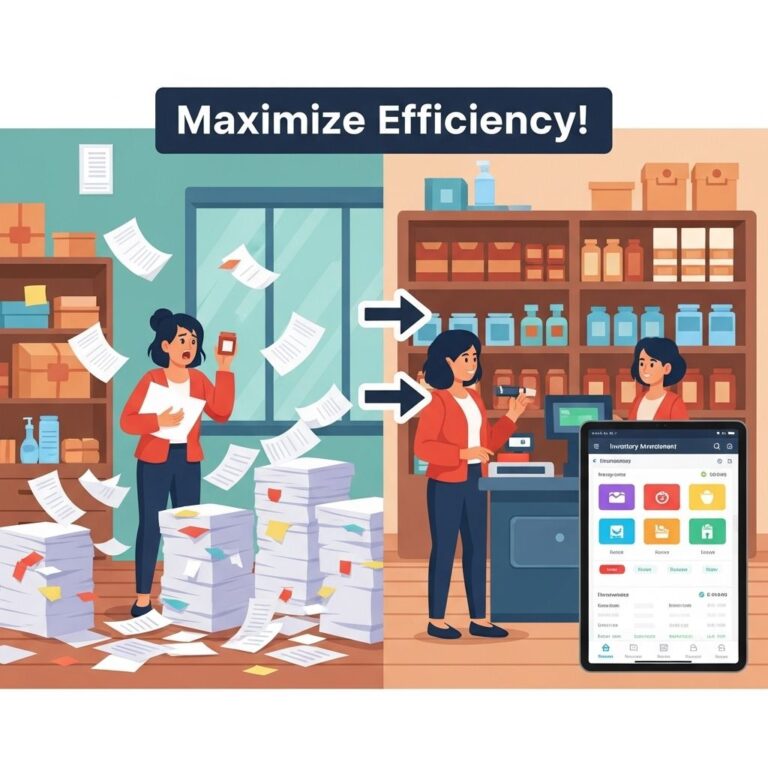

In today’s rapidly evolving business landscape, small businesses often face the challenge of managing their inventory efficiently. With the right inventory management tools, they can streamline operations, reduce costs, and ultimately boost profitability. This article delves into various inventory management solutions available for small businesses, presenting strategies to unlock significant savings.
Understanding Inventory Management
Inventory management involves overseeing the flow of goods from manufacturers to warehouses and from these facilities to point of sale. Effective inventory management helps businesses track stock levels, orders, sales, and deliveries. Here are key components to consider:
- Stock Control: Monitoring inventory levels to prevent overstocking or stockouts.
- Order Management: Managing purchase orders to ensure timely replenishment.
- Data Analysis: Utilizing analytics to forecast demand and optimize stock levels.
- Supplier Management: Building strong relationships with suppliers for better pricing and reliability.
Benefits of Using Inventory Management Tools
Investing in inventory management tools provides several advantages that contribute to cost savings:
1. Enhanced Efficiency
Automation of mundane tasks frees up time for employees to focus on other important business functions. Key benefits include:
- Automated stock tracking and reporting
- Reduction of human errors in data entry
- Streamlined order processing systems
2. Cost Reduction
By optimizing inventory levels, businesses can achieve significant cost savings:
- Lower holding costs due to reduced excess inventory
- Minimized lost sales from stockouts
- Better cash flow management through timely reorders
3. Improved Customer Satisfaction
Meeting customer demands is critical to maintaining a competitive edge. Effective inventory management ensures that:
- Products are available when customers need them
- Orders are fulfilled accurately and promptly
- Better customer service based on reliable inventory data
Top Inventory Management Tools for Small Businesses
There is a multitude of inventory management solutions tailored for small businesses. Here’s an overview of some popular tools:
| Tool | Features | Pricing |
|---|---|---|
| TradeGecko | Real-time inventory tracking, order management, multi-channel sales | Starting at $39/month |
| Zoho Inventory | Automated stock updates, shipping integrations, comprehensive reporting | Free for small businesses (up to 20 orders/month) |
| Square for Retail | POS integration, inventory tracking, employee management | Starting at $60/month |
| Vend | Multi-location support, customer loyalty programs, inventory insights | Starting at $99/month |
Key Features to Look For
When selecting an inventory management tool, consider the following essential features:
- Scalability: The solution should grow with your business.
- User-Friendly Interface: An intuitive design that minimizes the learning curve.
- Integration Capabilities: Compatibility with existing software, such as accounting and CRM systems.
- Mobile Access: Ability to manage inventory on-the-go through mobile applications.
Implementing Inventory Management Strategies
Once you’ve selected the appropriate tools, effective implementation is crucial. Here are strategic steps to consider:
1. Analyze Your Current Inventory Process
Identify inefficiencies in your current process, such as:
- Stock discrepancies
- Long lead times for stock replenishment
- High carrying costs due to overstock
2. Set Clear Goals
Establish specific objectives you want to achieve with your new inventory management system, such as:
- Reducing holding costs by a certain percentage
- Improving order fulfillment rates
- Minimizing stockouts
3. Train Your Team
Ensure your team is well-trained to use the new system effectively:
- Conduct training sessions and workshops
- Provide ongoing support for users
- Encourage feedback for continuous improvement
4. Monitor and Adjust
Regularly assess the performance of your inventory management system. Use analytics to:
- Identify trends in inventory turnover
- Adjust reorder points based on demand forecasts
- Optimize supplier relationships based on performance data
Conclusion
Implementing inventory management tools can greatly enhance the operational efficiency of small businesses. By making informed choices and applying strategic practices, small businesses can unlock significant savings, improve cash flow, and increase customer satisfaction. The key is to choose the right tools, train your team, and continuously monitor performance for optimal results.
FAQ
What are inventory management tools for small businesses?
Inventory management tools are software solutions designed to help small businesses track and manage their stock levels, orders, sales, and deliveries efficiently.
How can inventory management tools save money for my small business?
By optimizing stock levels and reducing excess inventory, inventory management tools can minimize carrying costs and reduce waste, ultimately saving your business money.
What features should I look for in inventory management software?
Look for features such as real-time tracking, reporting and analytics, integration with other systems, and user-friendly interfaces to ensure efficiency and ease of use.
Can inventory management tools help with forecasting demand?
Yes, many inventory management tools provide analytics and forecasting features that help predict future demand, allowing businesses to make informed purchasing decisions.
Are inventory management tools suitable for e-commerce businesses?
Absolutely, inventory management tools are essential for e-commerce businesses to manage stock across multiple platforms, ensuring they meet customer demand without overstocking.
How do I choose the right inventory management tool for my small business?
Consider your business size, industry, specific needs, budget, and whether you require additional features like mobile access or integrations with accounting software when choosing an inventory management tool.