
In today’s data-driven world, the ability to visualize information effectively can mean the difference between success and stagnation for businesses. Reporting dashboards play a crucial role in transforming raw data into actionable insights. In this article, we’ll dive deep into the significance of reporting dashboards, explore various examples, and discuss their best practices to make your data shine.
The Importance of Reporting Dashboards
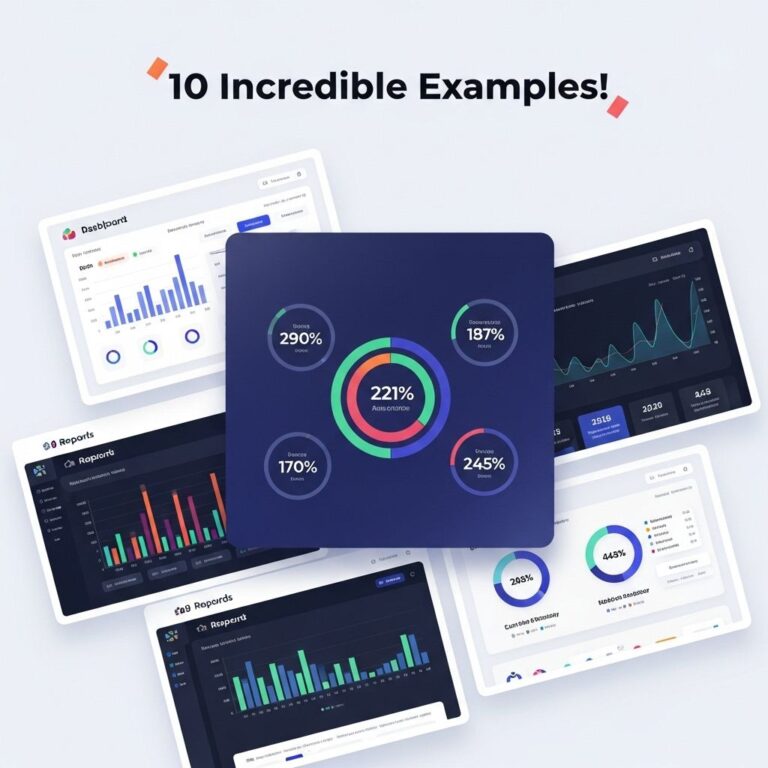
Reporting dashboards serve as a visual representation of key performance indicators (KPIs), metrics, and data trends. They provide a quick overview of complex data, aiding in decision-making processes across various business functions.
Key Benefits of Using Reporting Dashboards
- Real-Time Data Access: Dashboards provide instant access to up-to-date information, enabling stakeholders to make timely decisions.
- Enhanced Data Interpretation: Visual aids such as charts and graphs simplify the comprehension of vast amounts of data.
- Improved Collaboration: Dashboards facilitate better communication among teams by providing a unified view of data.
- Customizable Views: Users can tailor dashboards to showcase the most relevant metrics to their roles.
Types of Reporting Dashboards
There are several types of reporting dashboards, each serving unique purposes. Here are some common examples:
1. Executive Dashboards
Executive dashboards provide high-level insights for executives and top management. They focus on strategic KPIs and trends that impact overall business performance.
2. Operational Dashboards
These dashboards monitor day-to-day operations, allowing managers to track performance at a granular level. They often include metrics related to productivity, efficiency, and resource utilization.
3. Analytical Dashboards
Analytical dashboards help in performing deep data analysis. They often include advanced analytics and are utilized for exploring data patterns and generating reports.
4. Tactical Dashboards
Tactical dashboards assist in monitoring specific processes and projects. They focus on metrics that inform tactical decisions on specific initiatives.
Examples of Effective Reporting Dashboards
Let’s explore a few examples of effective reporting dashboards that exemplify best practices in data visualization.
Example 1: Marketing Performance Dashboard
This dashboard focuses on tracking key marketing metrics, such as lead generation, conversion rates, and campaign performance. It may include:
- Line graphs showing trends in website traffic.
- Bar charts comparing the performance of different campaigns.
- Metrics on social media engagement rates.
Example 2: Sales Dashboard
A sales dashboard is essential for monitoring sales performance in real-time. Essential components may include:
| Metric | Target | Actual |
|---|---|---|
| Total Sales | $500,000 | $450,000 |
| New Customers | 100 | 75 |
| Customer Retention Rate | 90% | 85% |
Example 3: Financial Dashboard
This dashboard provides a comprehensive view of the organization’s financial health, focusing on:
- Income statements
- Cash flow statements
- Expense tracking
Best Practices for Creating Reporting Dashboards
To maximize the effectiveness of reporting dashboards, consider the following best practices:
1. Define Clear Objectives
Before creating a dashboard, it’s crucial to establish what you want to achieve. Ask yourself:
- What questions do you want the dashboard to answer?
- Who is the audience for this dashboard?
- Which metrics are most relevant for decision-making?
2. Focus on User Experience
A dashboard should be intuitive and easy to navigate. Keep these principles in mind:
- Use clear labels and legends.
- Maintain a clean layout with adequate white space.
- Ensure responsive design for accessibility on various devices.
3. Choose the Right Visualizations
Select the most effective visualizations for your data. For example:
- Use line charts for trends over time.
- Utilize pie charts for parts of a whole.
- Leverage bar charts to compare categories.
4. Regularly Update Your Dashboard
To maintain relevance, ensure that your dashboard data is refreshed regularly. Automated data feeds can help keep the information current.
Tools for Building Reporting Dashboards
Several tools can help you create powerful reporting dashboards. Here are some popular options:
1. Tableau
Tableau is a leading data visualization tool that offers powerful analytics and dashboard capabilities.
2. Microsoft Power BI
This tool integrates seamlessly with other Microsoft products and provides robust reporting features.
3. Google Data Studio
A free tool that allows users to create customizable dashboards using data from various sources.
4. Looker
Looker allows for in-depth data exploration and dashboard creation, particularly for organizations using BigQuery.
Conclusion
Reporting dashboards are invaluable in the modern business landscape. By leveraging effective examples and adhering to best practices, organizations can transform their data into insightful narratives that drive informed decision-making. Remember, the ultimate goal is not just to present data but to make it actionable, enabling your team to achieve greater success.
FAQ
What is a reporting dashboard?
A reporting dashboard is a visual display of key performance indicators (KPIs) and metrics that provides an overview of business performance in real-time.
How can reporting dashboards enhance data analysis?
Reporting dashboards enhance data analysis by consolidating data from multiple sources into a single view, allowing users to identify trends and make data-driven decisions quickly.
What are some examples of effective reporting dashboards?
Effective reporting dashboards include sales performance dashboards, marketing analytics dashboards, financial dashboards, and customer support dashboards, each tailored to specific business needs.
What tools can I use to create reporting dashboards?
Popular tools for creating reporting dashboards include Tableau, Microsoft Power BI, Google Data Studio, and Klipfolio, each offering various features for data visualization.
How do I choose the right metrics for my reporting dashboard?
To choose the right metrics for your reporting dashboard, focus on key business objectives, ensure metrics are actionable, and align them with your target audience’s needs.
Can reporting dashboards be customized?
Yes, reporting dashboards can be customized to fit specific business requirements, allowing users to choose the data visualizations, layout, and metrics that are most relevant to their goals.