
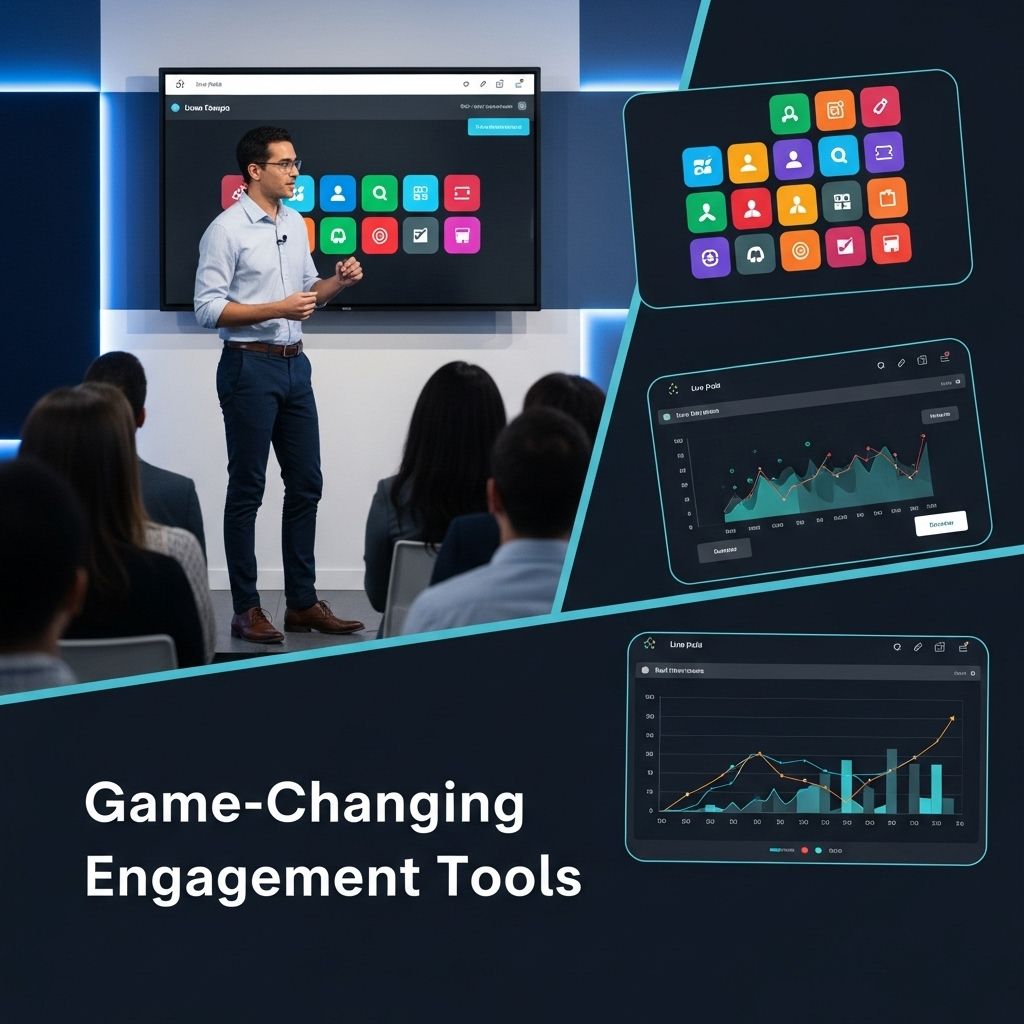

Engaging an audience during presentations can be a daunting task, especially with the deluge of information available today. The challenge lies in maintaining their attention and encouraging meaningful interaction. Fortunately, numerous innovative tools have emerged to help presenters connect with their audience dynamically, whether in-person or virtual. Here, we explore ten game-changing audience engagement tools that can elevate your presentations and foster an interactive environment.
1. Slido
Slido is a powerful tool that allows presenters to create live polls, quizzes, and Q&A sessions that the audience can participate in real-time using their smartphones. The intuitive interface enables seamless integration with popular presentation software like PowerPoint and Google Slides. Key features include:
- Real-time polling
- Anonymous Q&A
- Integration with various platforms
How to Use Slido
- Create an event on Slido’s website.
- Embed the generated code into your presentation.
- Encourage audience participation through polls or questions.
2. Mentimeter
Mentimeter is a versatile tool that transforms the way you deliver presentations. It enables you to create interactive slides with polls, quizzes, and word clouds. The audience can respond via their smartphones, ensuring everyone has a voice. Some standout features include:
- Interactive presentations
- Real-time feedback
- Customizable templates
Benefits of Using Mentimeter
This tool can enhance audience understanding and retention, making your content more memorable. Engage your audience by:
- Asking open-ended questions
- Gathering live feedback
- Visualizing responses instantly
3. Kahoot!
Kahoot! is primarily known for its educational use, but it’s also a fantastic tool for business presentations. By creating engaging quizzes, presenters can gamify their content and boost audience involvement. Key functionalities include:
- Game-based learning
- Custom quiz creation
- Engaging visuals
Creating a Kahoot Quiz
- Sign up for a free account.
- Design your quiz with questions and answers.
- Launch the quiz during your presentation for audience participation.
4. Prezi
Prezi redefines traditional presentation formats with its zoomable canvas, allowing for a more engaging storytelling approach. Unlike linear slideshows, Prezi offers a spatial dimension to your content. Features include:
- Dynamic transitions
- Visual storytelling
- Customizable templates
Best Practices for Using Prezi
To maximize engagement with Prezi:
- Focus on a central theme and branch out.
- Keep visuals clear and uncluttered.
- Incorporate multimedia elements to enhance storytelling.
5. Poll Everywhere
Poll Everywhere is an interactive polling tool that allows audiences to respond to questions via text or web-based platforms. This tool is highly adaptable and can be integrated into various presentation formats. Key features include:
- Text messaging responses
- Multiple question formats
- Analytics and reporting
Utilizing Poll Everywhere Effectively
To get the most out of Poll Everywhere:
- Set up your polls in advance.
- Encourage responses by promoting participation.
- Use results to drive discussion and feedback.
6. Audience Technologies
Audience Technologies provides tools that enhance engagement through mobile applications that allow for live feedback and interaction. This platform is perfect for large audiences and events requiring robust engagement methods. Features include:
- Textual Q&A
- Live polls and surveys
- Analytics dashboard for tracking engagement
Engaging Your Audience with Audience Technologies
To utilize this platform effectively:
- Encourage audience members to download the app prior to the event.
- Utilize quick polls to gauge sentiment.
- Facilitate discussions based on real-time feedback.
7. Vevox
Vevox is an audience engagement tool designed to facilitate interaction during meetings and presentations. With real-time polling and feedback capabilities, it helps presenters keep their audience involved. Features include:
- Anonymous feedback
- Q&A sessions
- Integration with Microsoft Teams
Implementing Vevox
To leverage Vevox:
- Set up your event and invite participants.
- Incorporate polling and Q&A features into your presentation.
- Analyze audience feedback after the event.
8. ClickMeeting
ClickMeeting is a comprehensive webinar platform that promotes audience engagement through features like polls, surveys, and chat functionalities. It’s geared towards businesses looking to enhance their virtual presentations. Key aspects include:
- Customizable webinar rooms
- Real-time interaction
- Recording capabilities
Maximizing ClickMeeting
For effective engagement during webinars:
- Utilize chat for live questions and discussions.
- Incorporate polls for quick feedback.
- Encourage viewers to share their thoughts in real time.
9. Bespoke
Bespoke offers unique tools for creating personalized audience engagement experiences. It allows presenters to utilize various formats to cater to specific audiences, enhancing interaction on a personal level. Features include:
- Customizable interactive elements
- Audience segmentation
- Analytics on audience engagement
Using Bespoke for Personalization
To create tailored experiences:
- Segment your audience based on interests.
- Create customized content for different groups.
- Analyze data for continual improvement.
10. Zoom
Zoom has become synonymous with virtual meetings but also offers various features like polling, breakout rooms, and chat functionalities to enhance audience engagement. With its user-friendly interface, it has become a critical tool for remote presentations. Key features include:
- Interactive polling
- Breakout rooms for smaller discussions
- Virtual hand-raising
Enhancing Engagement with Zoom
To utilize Zoom effectively:
- Prepare polls in advance and launch them during your presentation.
- Use breakout rooms for group discussions.
- Encourage audience interaction through chat and responses.
Conclusion
The tools mentioned above provide fantastic opportunities to engage audiences effectively and transform presentations into collaborative experiences. By leveraging these game-changing platforms, presenters can not only capture attention but also foster a two-way dialogue that enriches the informational exchange. Choose the tools that best align with your presentation style and audience needs, and watch your engagement soar.
FAQ
What are the best tools for audience engagement during presentations?
Some of the best tools for audience engagement include Mentimeter, Slido, Kahoot!, Poll Everywhere, and AhaSlides, which allow for real-time interaction and feedback.
How can I use audience engagement tools to improve my presentations?
You can use audience engagement tools to create polls, quizzes, and interactive Q&A sessions, making your presentation more dynamic and encouraging participation.
Are there any free audience engagement tools available?
Yes, many audience engagement tools offer free versions or trials, such as Mentimeter and Slido, which can be great for enhancing presentations without a significant investment.
What features should I look for in audience engagement tools?
Look for features like live polling, audience Q&A, integration with presentation software, analytics, and ease of use to ensure a seamless experience.
Can audience engagement tools be used in virtual presentations?
Absolutely! Most audience engagement tools are designed to work seamlessly in virtual environments, enhancing engagement regardless of the format.
How do audience engagement tools enhance learning during presentations?
These tools promote active participation, provide instant feedback, and help maintain audience attention, leading to improved retention and understanding of the material.


